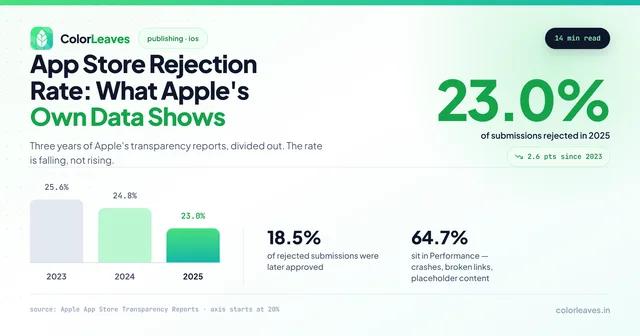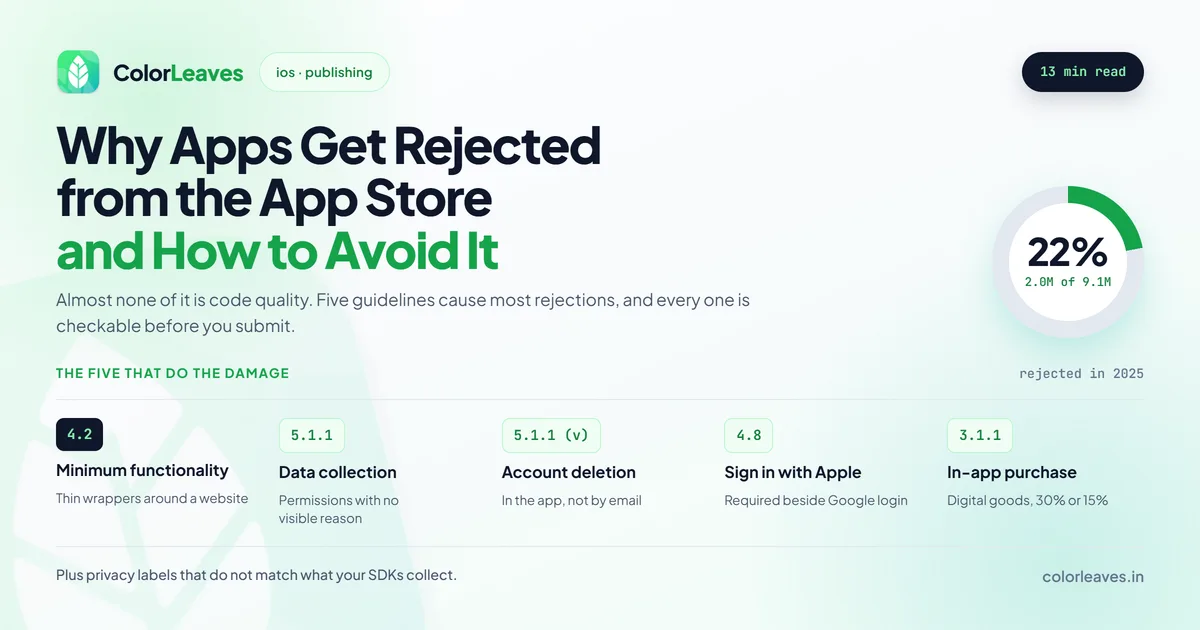
Roughly 22 percent of App Store submissions were rejected in 2025, somewhere near 2 million out of 9.1 million. Almost none of that was about code quality. We’ve pulled the rejection rate data apart separately if you want the numbers behind that figure.
The rejections cluster around a small number of guidelines, and every one of them is checkable before you submit. What makes them expensive is timing. A rejection costs you a review cycle, cycles run on Apple’s schedule rather than yours, and if your launch is tied to a campaign or an event then the cost is real money rather than a few days of annoyance. Build the possibility into the project timeline instead of hoping.
Key Takeaway: Five guidelines account for most rejections: minimum functionality (4.2), data collection disclosure (5.1.1), missing in-app account deletion, Sign in with Apple where third-party login is offered (4.8), and privacy labels that do not match what your SDKs actually collect. All five are auditable before submission.
Guideline 4.2: Minimum Functionality
The most common rejection and the hardest to fix late, because it is a product problem rather than a code problem.
Apple rejects apps that read as a repackaged website, offer too little native value, or could reasonably have been a web page. A wrapper around your existing site with no native capability is the clearest case. So is an app whose entire function is displaying content you already publish elsewhere.
Cross-platform builds attract this scrutiny slightly more than native ones do, not because the frameworks are a problem but because thin apps are more often built quickly. A serious React Native or Flutter product clears 4.2 without trouble.
This is also the guideline that catches badly scoped first versions. An MVP is supposed to be small, but small and thin are different things. Small means one job done properly with real native capability behind it. Thin means a login screen wrapped around a web view. Apple rejects the second and ships the first, and teams cutting scope to hit a date sometimes cut across that line without noticing.
The fix is not cosmetic. Genuine native capability means something the platform provides and a browser does not: push notifications people actually want, offline access, camera or location use tied to the core job, widgets, biometric authentication. If your honest answer is that the app does nothing a website could not, address that before you write the code rather than after review tells you.
Guideline 5.1.1: Data Collection and Storage
Reviewers check your privacy policy against what the app actually does, and they check permission requests against apparent need.
Requesting contacts access for a feature that does not obviously require it gets flagged. So does requesting location when nothing in the interface explains why. The pattern that fails is asking for everything at launch in case you need it later.
Ask for permissions in context, at the moment the feature needs them, with a usage description string that explains the reason in plain language. The generic “we need this to improve your experience” placeholder is a reliable way to get rejected.
That’s a design problem as much as a compliance one. Permission prompts placed where the user already understands why they’re being asked get accepted at far higher rates, so the fix that clears review also improves the product.
Missing Account Deletion
Any app that lets a user create an account must let them delete it from inside the app. Not by emailing support, not by visiting a web page, not by contacting you. In the app.
This one catches a lot of teams because it arrived as a requirement rather than a suggestion, and because plenty of backends were never built with deletion in mind. If your account system cannot currently delete a user and everything attached to them, that is backend work you need to schedule before submission rather than discover during it.
Deletion is harder than it sounds once other regulations are in play. A fintech app usually cannot actually erase transaction records, because financial regulation requires retaining them. The answer is deleting the account and the personal data attached to it while retaining what the law obliges you to keep, then saying so plainly in the flow. Apple accepts that. What it does not accept is a deletion button that quietly does nothing.
Guideline 4.8: Sign in with Apple
If your app offers login through Google, Facebook or another third-party service, you must offer Sign in with Apple alongside it.
Teams building Android first and porting to iOS hit this constantly, because the Android app quite reasonably ships with Google login and nobody thinks about the iOS requirement until submission. It is straightforward to implement and irritating to discover late.
Guideline 3.1.1: In-App Purchase
The rule that costs the most money, and the one people argue about hardest.
Anything consumed inside the app must be sold through Apple’s in-app purchase system, and Apple takes 30 percent, or 15 percent under the Small Business Program if you earn under a million dollars a year. Subscriptions, premium features, virtual currency, unlockable content. All of it goes through IAP, and linking users out to your own web checkout to avoid the cut is a rejection.
Physical goods and real-world services are the opposite. If you’re building an ecommerce app, a ride booking or delivery product, or anything that ends with something arriving at a door, you must use a normal payment processor and Apple takes nothing. Teams sometimes implement IAP here out of caution and get rejected for it.
The blurry middle is where the arguments happen. Online courses, event tickets, coaching sessions, consultations delivered over video. Whether these count as digital content or a real-world service has moved over the years and moved again after the various antitrust rulings. Thirty percent of revenue rides on the answer, which is why it belongs in the commercial model rather than in a developer’s ticket. If your product sits in that space, resolve it before you build the payment flow, because rebuilding checkout after a rejection is a large piece of work rather than a fix.
Reader apps have their own carve-out, and the US storefront now permits external purchase links under specific conditions with specific entitlements. The rules here change more often than any other part of the guidelines, so check the current wording rather than trusting a blog post, including this one.
Privacy Nutrition Labels
Your declared data collection has to match what the app genuinely does, including what your third-party SDKs do on your behalf.
This is where most teams get caught honestly rather than carelessly. Analytics packages, advertising SDKs and crash reporters collect more than developers assume, and the declaration is your responsibility rather than the vendor’s. Before submitting, go through every SDK in the project and check its documented data collection against what you have declared.
Ask who is allowed to add a dependency, and make sure the answer involves you. An SDK pulled in during a sprint you never reviewed is still your disclosure obligation, and it’s one of the quieter risks of working with an outside team. A dependency list you can read is worth asking for at every milestone.
App Tracking Transparency sits alongside this. If you access the advertising identifier you need the ATT prompt, and Apple takes a dim view of interfaces that pressure users toward consent.
Categories That Get Extra Scrutiny
Review is not uniform. Some categories carry additional requirements that generic advice never mentions, and they’re the ones where a rejection costs the most time.
Finance. Banking and trading apps must be submitted by the institution itself rather than an agency, which surprises teams who built the app under a vendor’s account. Apple also checks that a financial app does what it claims and isn’t a front. Building anything in this space means reading the fintech requirements early, and StockGenie is a live example of a finance product that cleared both stores.
Health and medical. Anything offering diagnosis, dosage calculation or treatment advice gets held to a much higher standard, and Apple asks for the clinical basis. Regulatory obligations sit on top of that, which our healthcare app guide covers, and they differ by market. A healthcare product built for India and one built for the US are not the same submission.
Kids category. No third-party analytics, no third-party advertising, no external links without a parental gate. Opting into this category is a real engineering commitment, so education products should decide deliberately whether they want it.
Real estate, dating and anything with user-generated content. If users can post, you need moderation, a way to report content, a way to block other users, and a published policy. Apple checks all four. This catches property listing apps that allow enquiries or reviews and never thought of themselves as social products.
What a Pre-Submission Audit Looks Like
We run this before every submission because it is unglamorous work that saves weeks.
Walk the account creation flow and confirm deletion exists and works end to end. List every login method offered and confirm Sign in with Apple is present if any third party is. Open every SDK’s privacy documentation and reconcile it against your declared labels. Trigger every permission request and read the usage description as a stranger would. Check that the app does something a website could not, and be honest about the answer.
Then prepare the reviewer notes properly. If your app needs an account to be useful, supply working credentials. If a feature needs specific conditions to demonstrate, explain how to reach it. Reviewers work quickly and a confused reviewer rejects.
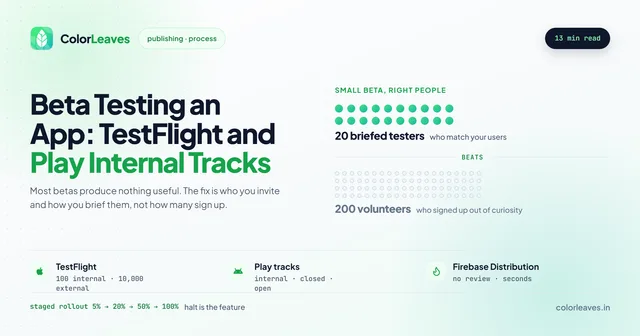
Run the whole thing through TestFlight first. TestFlight builds go through a lighter review of their own, so an obvious problem surfaces there days before it can cost you a submission cycle. On the Android side the same job is done by device testing across the matrix, because Play’s automated checks catch crashes that a human reviewer never would.
One more thing that gets missed: metadata is reviewed too. Screenshots showing features the app does not have, descriptions naming competitors, keyword stuffing in the title, or a support URL that 404s will each stop a submission on their own. These are cheap to check and embarrassing to be caught by.
When You Get Rejected Anyway
It happens to everyone eventually. The response matters more than the rejection.
Read the actual guideline cited rather than the summary. Apple links to the specific rule and the wording usually tells you exactly what they saw.
If it is a genuine violation, fix it and resubmit. If you believe it is a misunderstanding, and sometimes it is, you can reply in Resolution Center with an explanation. Be specific and unemotional. Arguing rarely works; clarifying often does.
Expedited review exists for genuinely urgent situations and is worth saving for one. Using it for an ordinary rejection wastes the goodwill.
One structural point worth settling long before any of this. The submission goes out under a developer account, and it should be yours rather than your vendor’s. Who owns your code covers why that matters, and the Apple Developer account guide covers setting one up, including the D-U-N-S requirement for organisation accounts that takes longer than people expect. If a rejection arrives and you cannot log in to read it, you are dependent on somebody else’s inbox.
How This Differs on Google Play
Play review is a different experience. Google reviews largely by automation with spot manual checks, approves most apps within hours to a day, and rejects at a much lower rate.
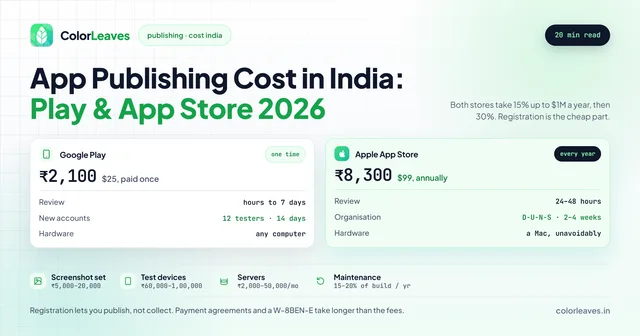
That difference matters for launch planning. If you are shipping both platforms simultaneously, iOS is the critical path and should be submitted first. Teams that submit both on the same day and plan a coordinated launch discover this the hard way. Our Play Console setup guide covers the Android side, and app publishing costs covers what both stores charge.
Frequently Asked Questions
How long does App Store review take?
Most submissions get a decision within 24 to 48 hours, though it varies and slows around major OS releases. Plan for a week between submission and launch so a single rejection does not move your date.
Does a rejection hurt our developer account?
A normal rejection does not. Repeated attempts to circumvent guidelines, or anything Apple reads as deliberate deception, is a different matter and can escalate to account level.
Can we launch on Android while iOS is still in review?
You can, and plenty of teams do. Just decide deliberately rather than by accident, because a staggered launch changes your marketing and support planning.
Do cross-platform apps get rejected more often?
Slightly, but the framework is not really the cause. Guideline 4.2 targets thin apps, and thin apps are more often built quickly on cross-platform. A substantial React Native or Flutter product clears review the same as a native one.
Who fixes a rejection, us or our development partner?
It should be them, at no extra cost, because avoiding rejection is part of what you hired them for. Put it in writing before you sign, as our contract checklist suggests, so rejection handling is included rather than billed as a change request.
Does clearing review once mean we are done?
No. Guidelines change, and an update can be rejected against a rule your original submission predates. Account deletion caught a lot of live apps this way. Budget for ongoing maintenance that includes compliance work, not only features.
How much does a rejection actually cost us?
Usually two to five days per cycle, sometimes more around a major OS release. The direct cost is small. The cost that hurts is a launch date tied to something you cannot move, like a campaign or a conference, and the full build process is where that buffer belongs.
Getting It Right First Time
Most of this is process rather than skill, which is why it is worth asking any development partner how they handle it. Anyone who submits regularly will answer with specifics, and it’s one of the more revealing questions in choosing a development company.
Our iOS app development in India page covers the pre-submission audit and how we handle review correspondence, and the Pune iOS team page has the same for local clients. If you would rather have a Swift engineer inside your own team, hiring iOS developers in India covers that arrangement, and the broader hiring guide covers what to settle before you engage anyone.
Got a submission coming up and want a second pair of eyes on it first? Send us the details.